
You can customize the image used on your DealTab page and the name of the tab using Facebook’s tab editor.
Steps:
1. Place the tabs in edit mode by selecting the down-arrow on the far right of your tabs
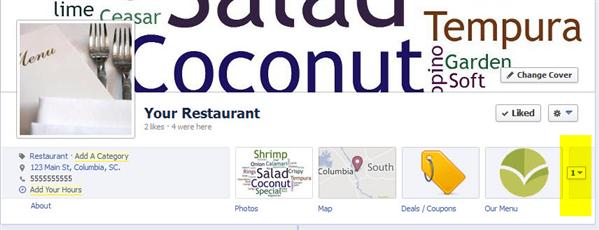
2. Mouse over DealTab click the edit pencil icon and select ‘Edit Settings’ from the drop-down

3. Change the Tab Name and Tab Image and press Save/Ok.
