
Additional restaurants can be managed under a single account simply by enuring you have an upgraded account (Premium Plus or OpenMenu Ordering) and updating the quantity of restaurants to manage.
Steps:
1. Log into your OpenMenu Account
2. Click on the Upgrades link from the main menu under Your Account
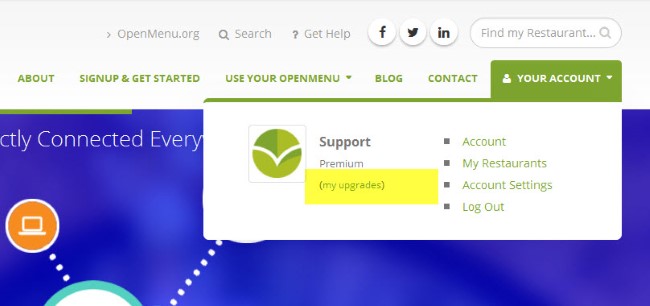
3. From the upgrade block click ‘Add Restaurants‘

4. Enter the new quantity you want to add to your account, confirm changes to billing and Process Change

5. Changes to your account will occur in 4-6 hours after a short review.
Pingback: Copying Menu(s) to a New Restaurant – OpenMenu Help